How the Cloud Type RGB is created
The Cloud Type RGB combines cloud top height, cloud optical thickness and cloud top phase information: NIR1.3 shows (indirectly) the cloud top height, VIS0.6 provides cloud optical thickness information and NIR1.6 provides cloud top phase information; see Table 2.1 in the previous chapter.
Two recipes of the Cloud Type RGB are shown below. Both were invented by US experts, and produce similar colour shades. In this guide the Cloud Type RGB images were created using the first recipe. For FCI a retuning might be needed.
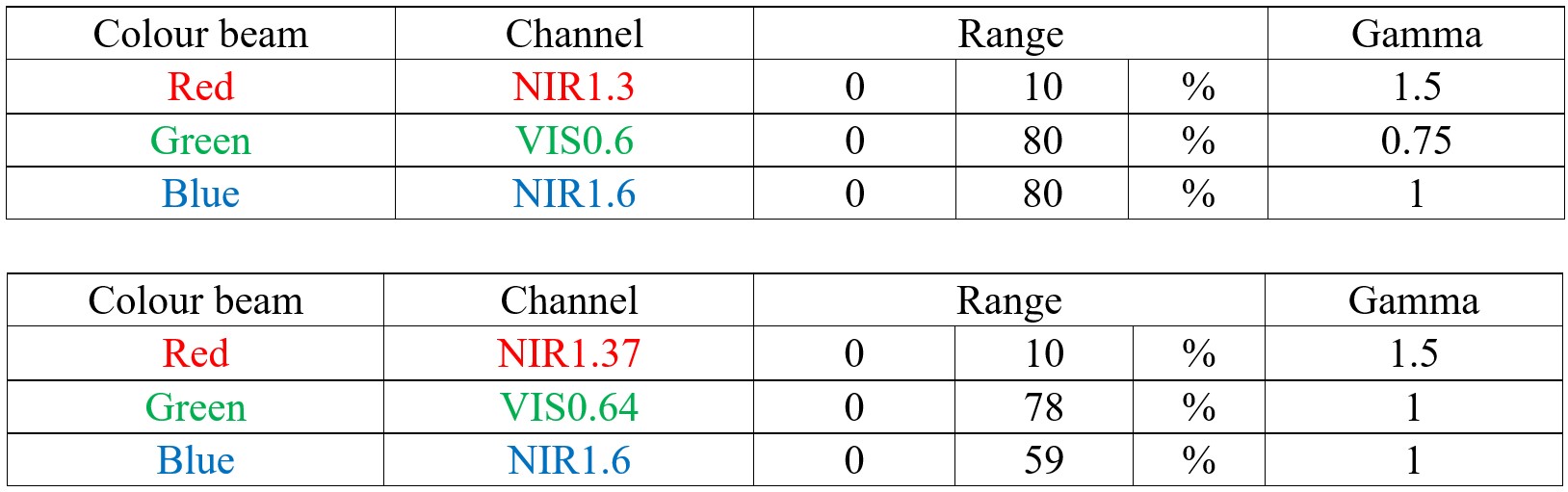
The tables show which channels to visualize in which primary colours and how to enhance them. The calibrated data (also including solar zenith angle correction) should be linearly stretched within the reflectivity ranges shown in the table. Non-linear stretching (gamma correction) is also required. The gamma correction method is defined in the Appendix.
Figs. 3.1a, b and c show an example of the Cloud Type RGB and its components.
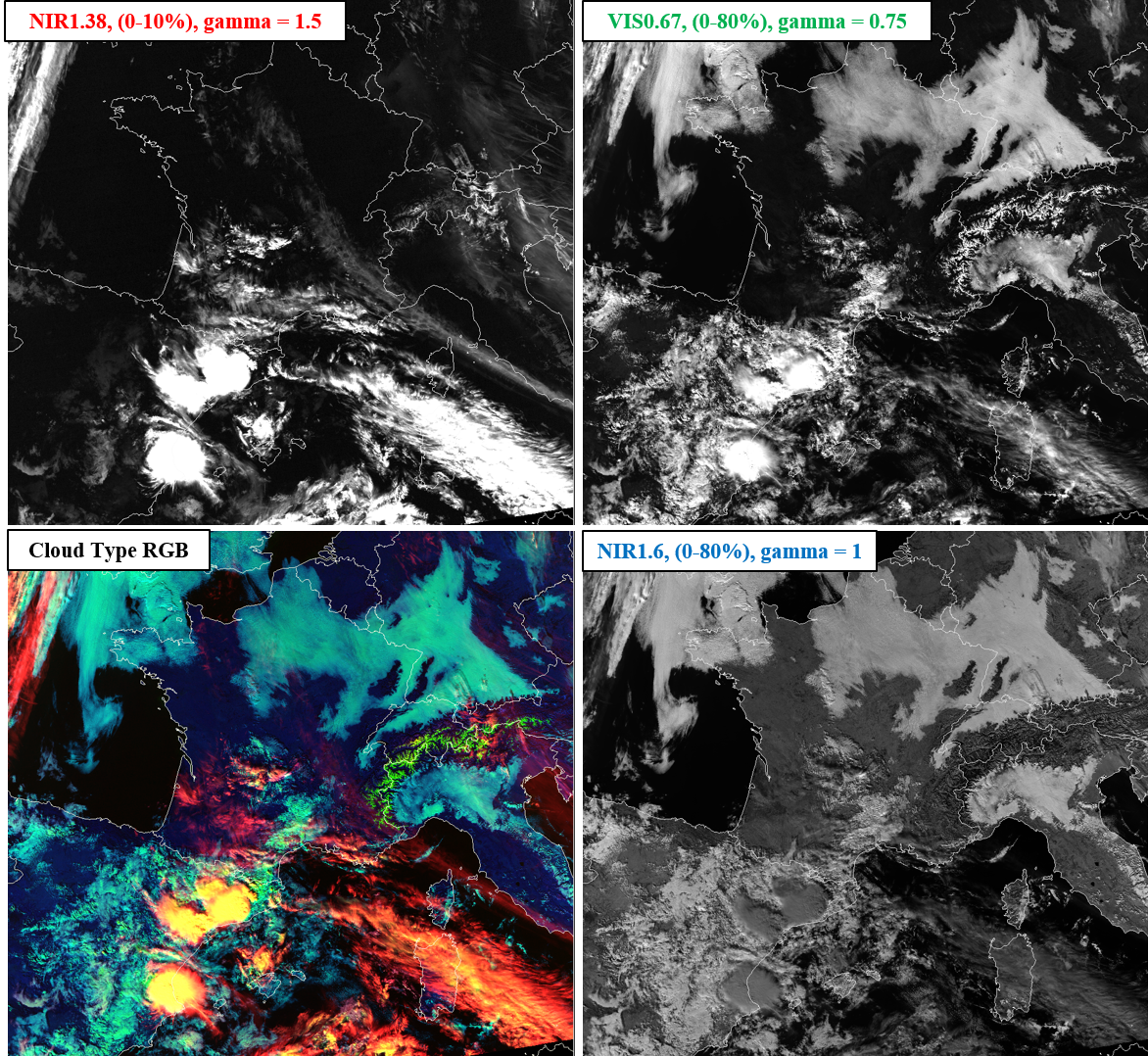
Fig. 3.1a: VIIRS Cloud Type RGB and its components, 15 November 2018, 12:31 UTC. (Credit to NOAA)
Fig. 3.1b shows the same images as Fig. 3.1a except the three components are visualized in their respective colours instead of shades of grey. This is how the three components are visualized together in the RGB.
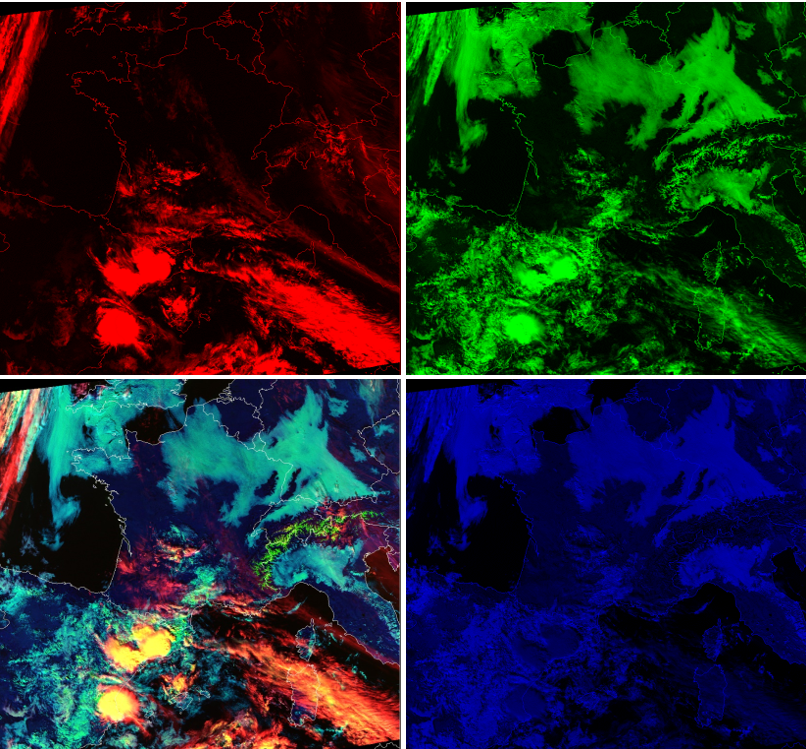
Fig. 3.1b: VIIRS Cloud Type RGB and its components, 15 November 2018, 12:31 UTC. (Credit to NOAA)
Fig. 3.1c shows the four panels of Fig. 3.1a on top of each other. Hover your mouse over the image to use the slider.
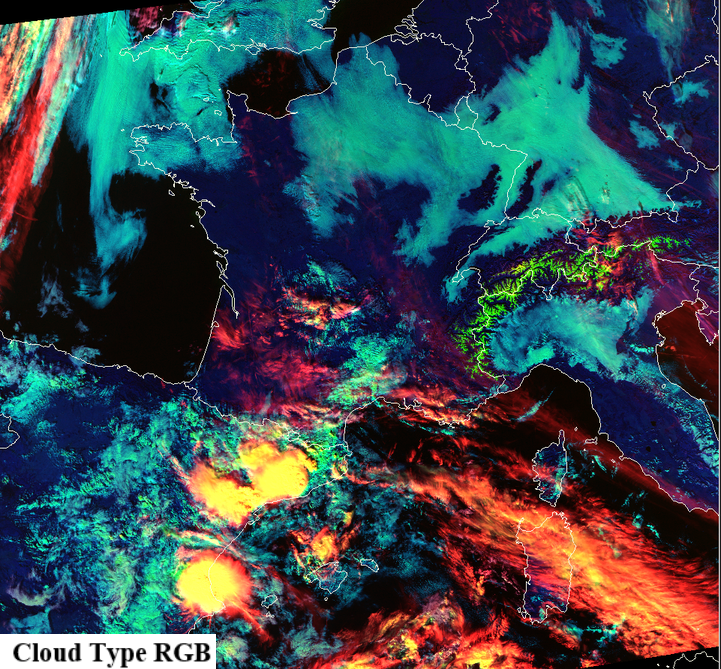
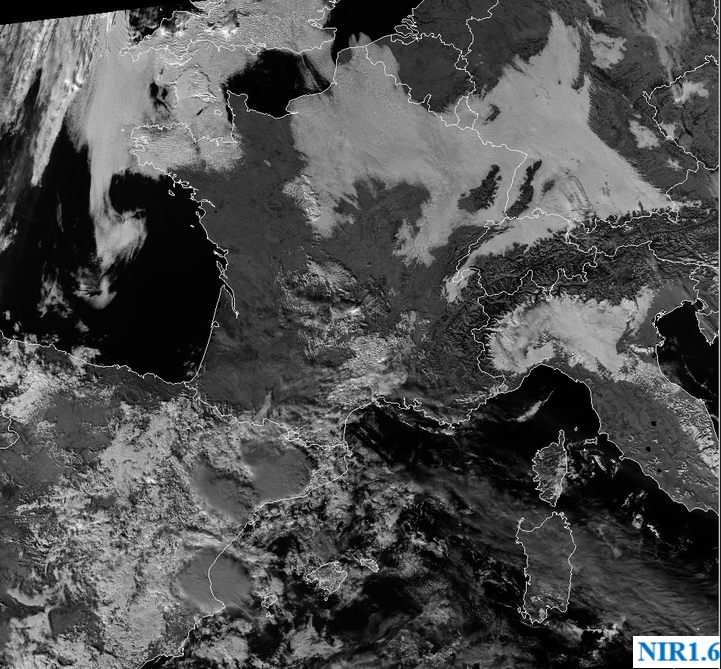
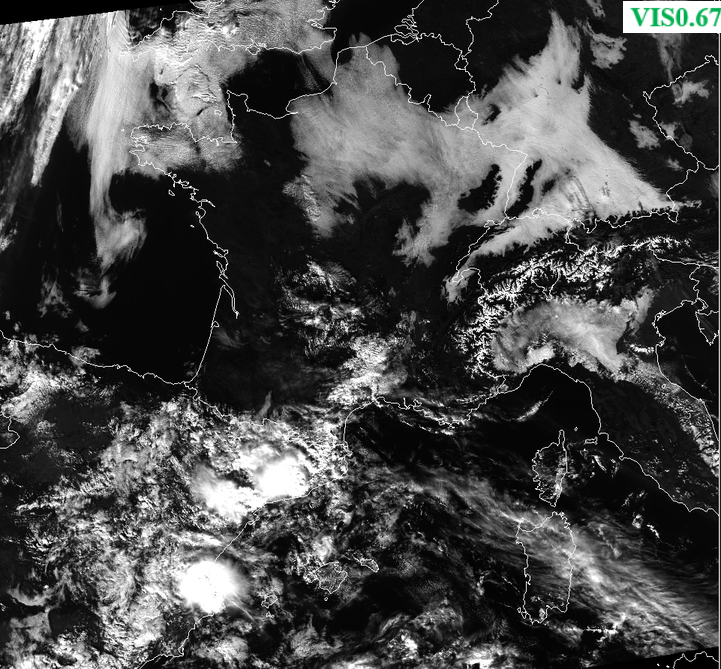
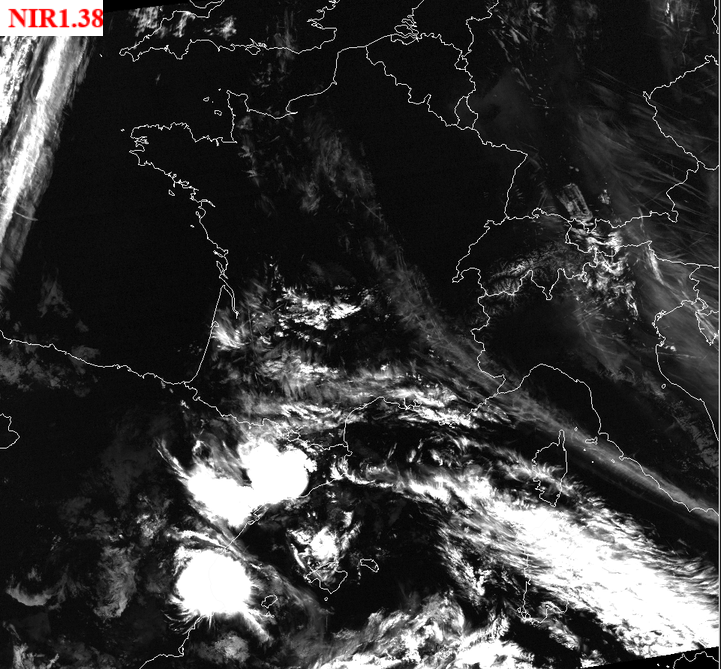
Fig. 3.1c: 4-Panel display, please use your mouse to compare the four images. VIIRS Cloud Type RGB and its components: NIR1.38, VIS0.67 and NIR1.6 images enhanced according to the recipe. Images acquired on 12 March 2020 at 11:32 UTC. (Credit to NOAA)